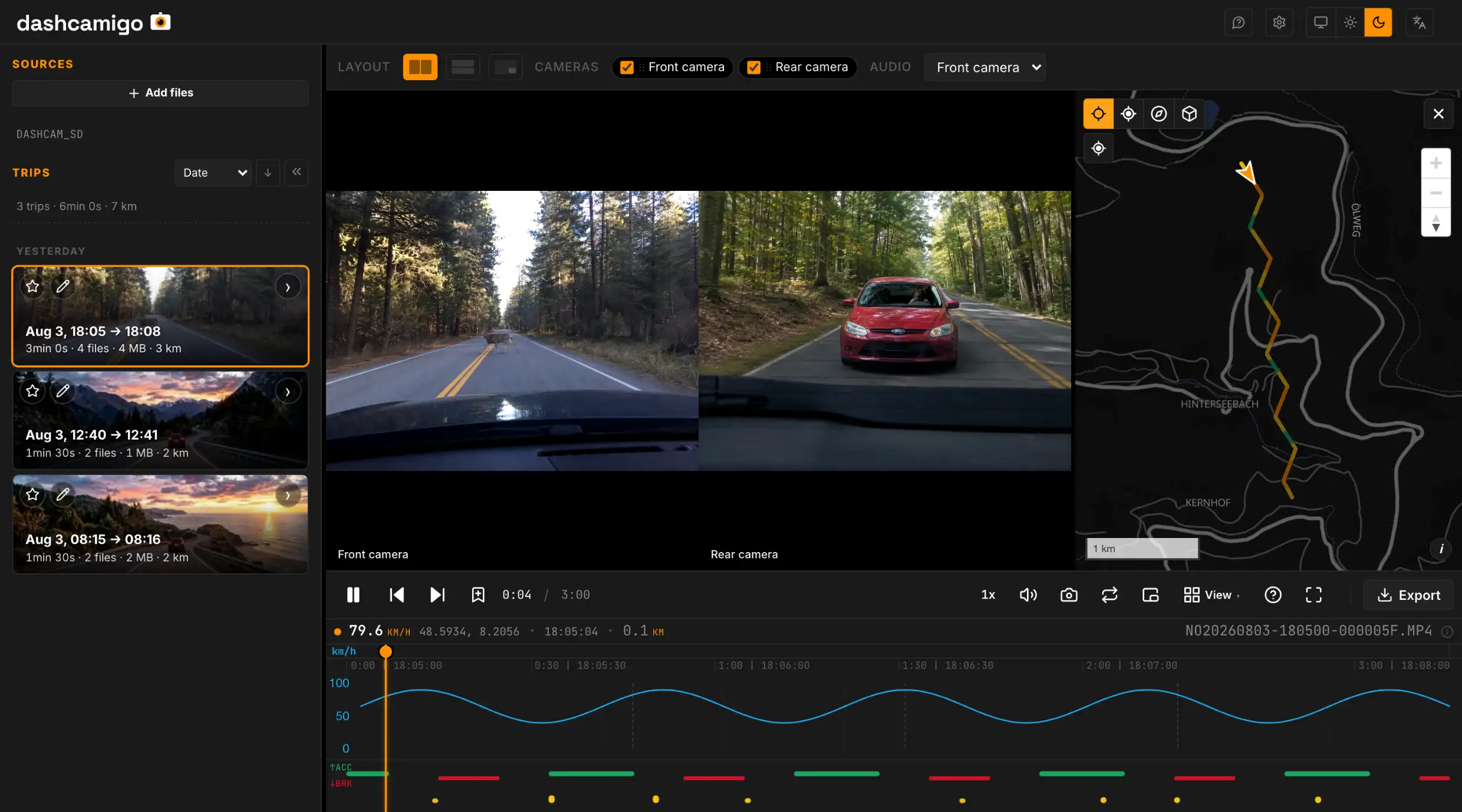
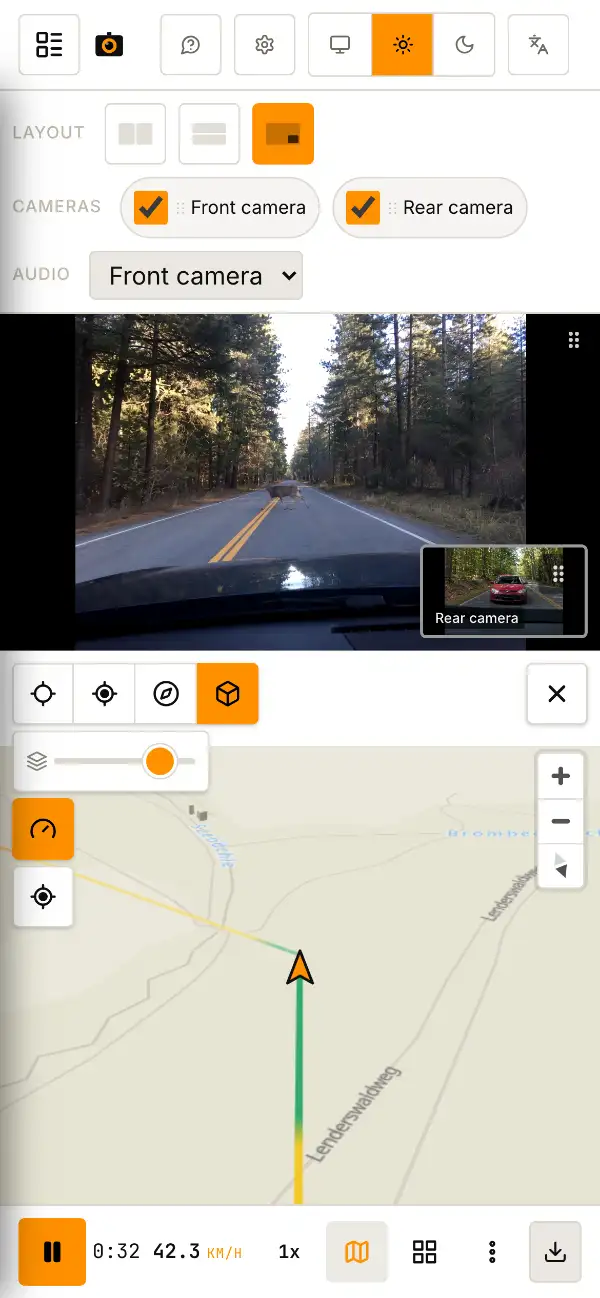
Dashcam player in your browser — map, speed, events.
The whole drive, start to finish, as one trip.
Recent folders
STEP 01
Take out the SD card
From the dashcam into your device. Card reader, USB or OTG — anything works.
STEP 02
Drop the folderPick the folder
The whole card folder — anywhere on the page. Or via the button above.The whole card folder — via the button above.
STEP 03
Watch
Video, route on the map, speed and events — all on one screen with a shared timeline.
- Trips, not clipsMinute-long clips join into one continuous trip — one timeline, one route. Any stretch saves as a single MP4.
- Many dashcam brands.mp4 .mov .ts files open as-is — no drivers, no vendor software.
- Speed and eventsHard braking and impacts are marked on the chart. Click a mark to jump to that moment.
- All cameras at onceFront, rear, cabin — in sync. Enlarge any of them.
- Edit, combine & exportTrim, combine cameras into one video and burn speed, coordinates or a moving map onto the export. GPS inside the file or as a separate .gpx.
- Hide plates & facesYou can blur a license plate or a face before sharing — the cover follows the object as it moves.
On your computer, tablet or phone
No installs, no plugins, no drivers.
Recordings in MP4, MOV or TS from most dashcams — 70mai, Viofo, BlackVue, GoPro, Garmin, Vantrue, Thinkware and more. GPS and events — the app reads them straight from the video and the files next to it, no setup. All supported brands →
.mp4 .mov .ts .mkv + any neighboring files — .gps, .nmea, .gpx, .map, .csv, .txt and more.
Operating systems
- Windows
- macOS
- Linux
- Android
- iOS
Browsers
Recommended
- Chrome
- Edge
- Opera
- Brave
- Vivaldi
- Arc
- Yandex Browser
- Firefox
- Safari
Playback depends on your browser and recording format. Editing and export work best in Chrome and other Chromium-based browsers.
FAQ
Short answers
dashcamigo is free — how can I help?
We don't need donations. If dashcamigo helped, star it on GitHub. If you found it through a forum, social media or chat, go back and say what you thought. That helps more people find the project.
Is there a dashcam app for PC, or do I need the vendor's app?
You don't need a separate app. dashcamigo opens 70mai, BlackVue, Viofo and other recordings right in your browser — a free alternative to the vendor's app, with nothing to install and no account. You can also install it from the browser — it pins to your dock and works offline.
My dashcam splits every drive into 1‑3 minute clips — can I watch them as one trip?
Yes — automatically. Drop the SD‑card folder and the clips join into continuous trips: one timeline, one route on the map, playback that doesn't stop at file boundaries. Need a single file? Select a range — even one spanning several clips — and save it as one MP4.
Which dashcams are supported?
70mai, Viofo, BlackVue, GoPro, Garmin, Vantrue, Thinkware, Nextbase, REDTIGER, NAVITEL, Mio MiVue, Navman MiVue, FITCAMX, Vueroid, Botslab, Neoline, Juscar, Escort, Carcam, Beferich, DATAKAM, 2E Drive, Aspiring, Sony, JOOYFACT, HP, SilverStone F1, Roadgid and iBOX. Standard .mp4, .mov and .ts video also opens without setup; GPS depends on the recording format.
Are my recordings uploaded anywhere?
No. dashcamigo opens your recordings right on your device — they are never uploaded anywhere.
Which devices does it run on?
On Windows, macOS, Linux, Android and iOS with a current browser. You can also install dashcamigo from a supported browser and use it offline.
How much does it cost?
Free. No ads, no sign-up, no subscriptions, no hidden charges.
Is dashcamigo open source?
Yes. The code is public on GitHub: https://github.com/amkulikov/dashcamigo — you can see exactly what the app does with your files, and run your own copy on your computer or server. Either way, your recordings never leave your device.
Can I cut out a clip and save it as a file?
Yes. Select a trip range, combine cameras and add speed, coordinates or a mini-map to the video, then save it as MP4. GPS data can be saved inside the video or as a separate .gpx track. You can also save a still image as .jpg.
Can I blur a license plate or a face before sharing?
Yes. Draw a box over the plate or face — pixelate, a solid fill or a soft blur — and it follows the object as it moves. Like everything else, it happens on your device.
Which browser works best?
For the full editor — trim with overlays, crop, change resolution — Chrome, Edge or another Chromium-based browser is best. Firefox and Safari play your recordings, show the map and export the original without setup.
Switching from Dashcam Viewer, CamGeoPlayer or Telemetry Overlay?
dashcamigo is a free, in-browser alternative to these dashcam tools. See how it compares to Dashcam Viewer, CamGeoPlayer and Telemetry Overlay — with playback, GPS and editing in one place.
Preparing this trip
0 of 0
Chrome, Edge or Safari can usually play this format — open the same folder there.
Front camera Can't play this camera
Rear camera Can't play this camera
Interior camera Can't play this camera
Side camera Can't play this camera
GPS signal · - · - km
GPS data not found. You can still watch and save clips.
km/h g
↑ACC ↓BRK
Map marker
Text size on the map
Street names
Track shift
Map background unavailable