dashcamigo

Dashcam player in your browser — map, speed, events.

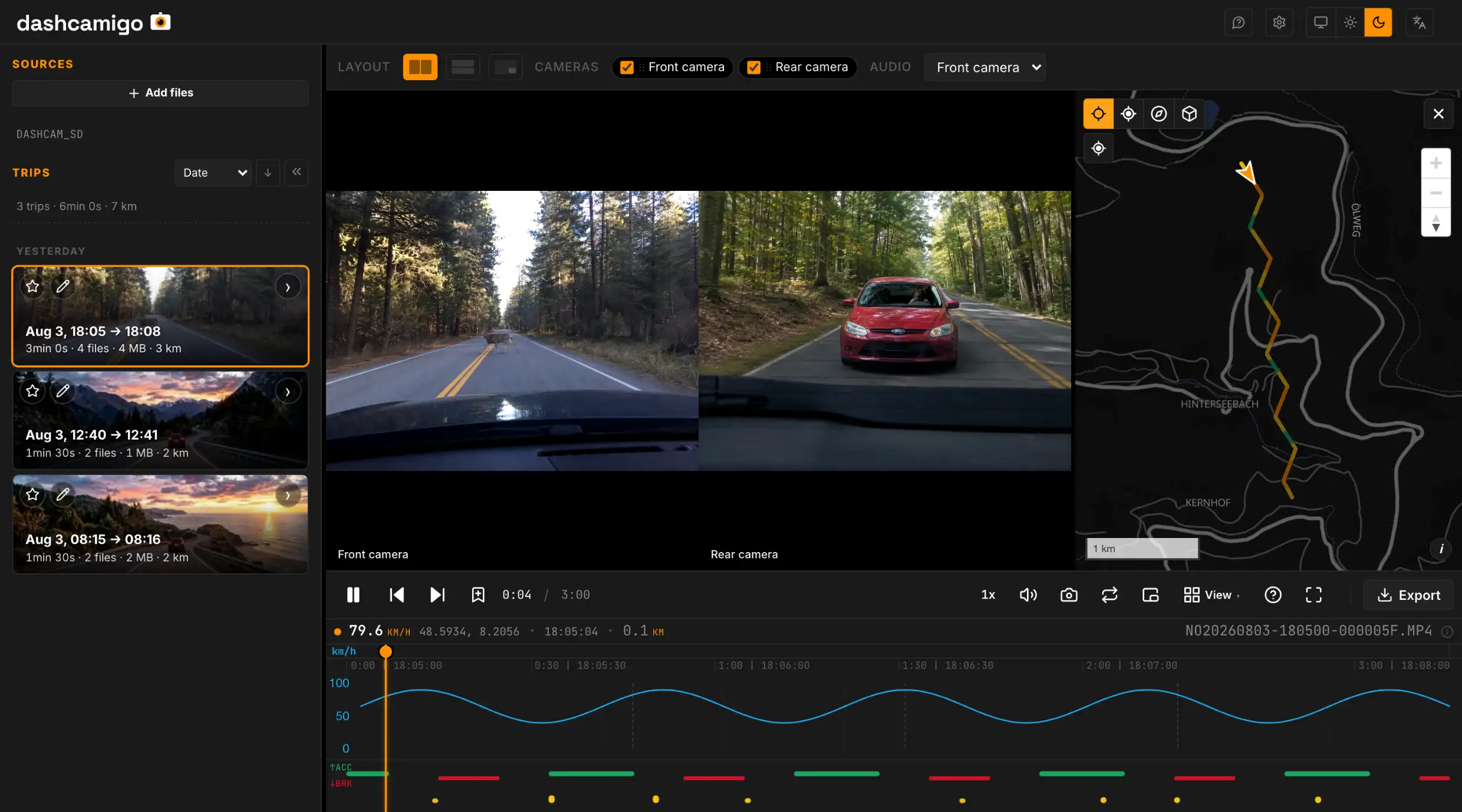
Your whole drive, start to finish, as a single trip — see exactly how it happened.

Any recording in MP4, MOV or TS from most dashcams — 70mai, Viofo, BlackVue, GoPro, Garmin, Vantrue, Thinkware. Route on the map, speed chart and events — hard braking, impact — the app reads them straight from the video and adjacent files. All supported brands →

  • Trips, not clipsMinute-long clips join into one continuous trip — one timeline, one route. Any stretch saves as a single MP4.
  • Any dashcam.mp4 .mov .ts files from 70mai, Viofo, BlackVue, GoPro, Garmin and dozens of others.
  • Coordinates and accelerationRead from the video and adjacent files — route, speed, G‑load. Hard braking, impact, speeding — highlighted.
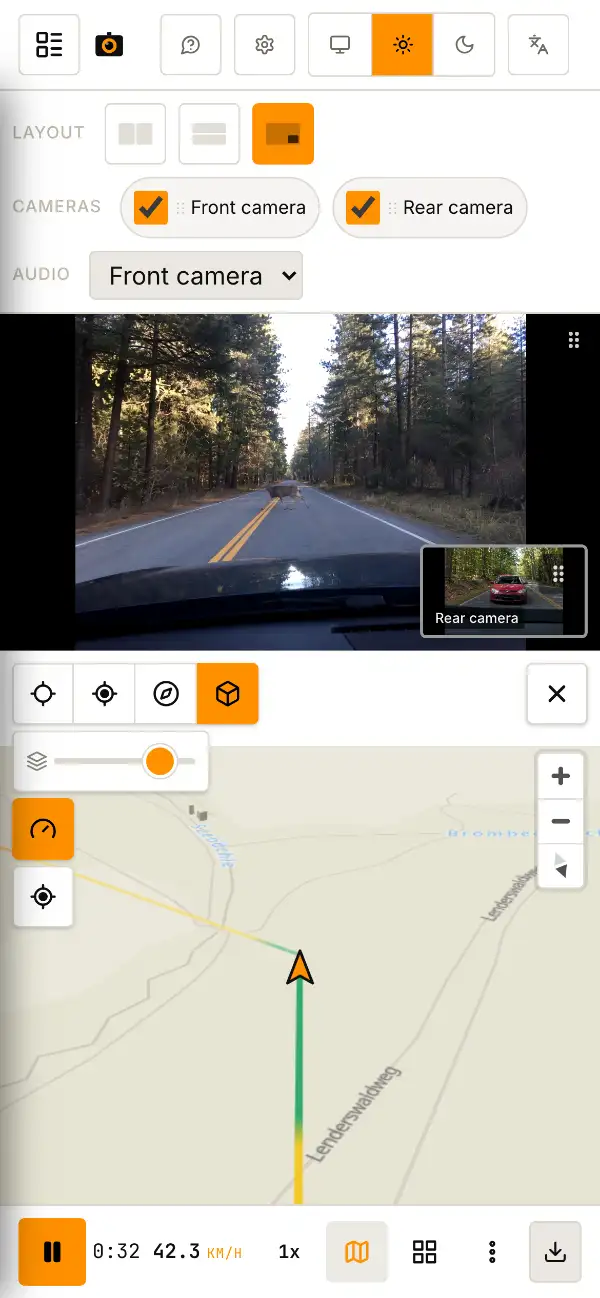
  • Several cameras at onceFront, rear, cabin — all in sync. Any one can be enlarged.
  • Event highlightingHard moments are marked on the combined speed / G‑load chart — click jumps to the exact second.
  • Edit, combine & exportTrim, combine cameras into one video — side by side, grid or picture-in-picture — and burn speed, coordinates or a moving map onto the export. GPS inside the file or as a separate .gpx.
  • Frame at any momentGrab the current frame in one click — a .jpg ready to share.

Opens anywhere with a browser

No installs, no plugins, no drivers.

Operating systems
  • Windows
  • macOS
  • Linux
  • Android
  • iOS
Browsers
Recommended
  • Chrome
  • Edge
  • Opera
  • Brave
  • Vivaldi
  • Arc
  • Yandex Browser
Also supported
  • Firefox
  • Safari

Every browser here plays your recordings — editing and export are fullest in Chrome and other Chromium-based browsers.

STEP 01

Take out the SD card

From the dashcam into your device. Card reader, USB or OTG — anything works.

STEP 02

Drop the folder

The whole card folder — anywhere on the page. Or via the button above.

STEP 03

Watch

Video, route on the map, speed and events — all on one screen with a shared timeline.

FAQ

Short answers

Is there a dashcam app for PC, or do I need the vendor's app?
You don't need a separate app. dashcamigo opens 70mai, BlackVue, Viofo and other recordings right in your browser — a free alternative to the vendor's app, with nothing to install and no account. Want it to feel like an app? Install it from your browser: it pins to your dock and works offline. And a browser tab is safer than a random third‑party app — it only sees the files you opened and can't reach your disk or the network outside the browser's security policy.
My dashcam splits every drive into 1‑3 minute clips — can I watch them as one trip?
Yes — automatically. Drop the SD‑card folder and the clips join into continuous trips: one timeline, one route on the map, playback that doesn't stop at file boundaries. Need a single file? Select a range — even one spanning several clips — and save it as one MP4.
Which dashcams are supported?
70mai, Viofo, BlackVue, GoPro, Garmin, Vantrue, Thinkware, FitCamX, Juscar, Escort, Carcam, Navitel, RVMI and others. Anything that writes standard .mp4, .mov or .ts to an SD card opens without setup.
Are my recordings uploaded anywhere?
No. Your files are opened and played right here on your device — nothing goes to a server, because there is no server to send them to. The browser itself blocks any attempt to ship them out (see ).
Which devices does it run on?
Any device with a modern browser: Windows, macOS, Linux, Android, iOS. On iOS you need Safari 16+. Can be installed as an app — works offline.
How much does it cost?
Free. No sign-up, no subscriptions, no hidden charges.
Can I cut out a clip and save it as a file?
Yes. You can trim the timeline, stitch cameras, burn speed, coordinates and a mini-map onto each frame, and save as MP4 with GPS inside the file or as a separate .gpx track. A single frame saves as a .jpg.
Which browser works best?
Any modern browser plays your recordings. For the full editor — trim with overlays, crop, change resolution — Chrome, Edge or another Chromium-based browser is best. Firefox and Safari play, map and export the original without setup.
Switching from RegistratorViewer, Dashcam Viewer or VLC?
Yes — dashcamigo is a free, in-browser alternative to the usual dashcam tools. See how it compares to RegistratorViewer, Dashcam Viewer, VLC and others — no install, and a map that won't break.
Built with Mediabunny MapLibre Chart.js OpenFreeMap
Try Safari or Edge — they can usually play this format. Or save a clip and open it in any video player.
Front camera
km/h g
↑ACC ↓BRK
0:00 / 0:00
· - · -
local